Instant downloadSpreadsheet Templates
Debt Payoff Planner Excel Template
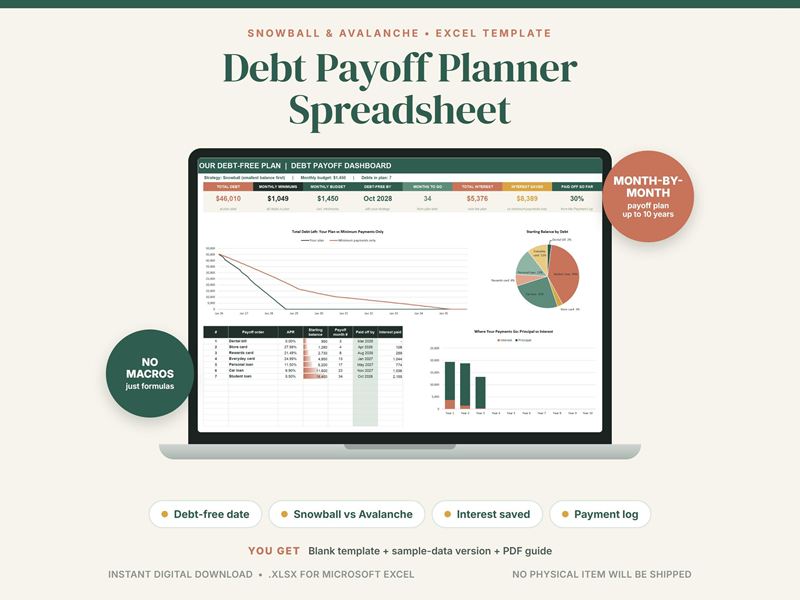
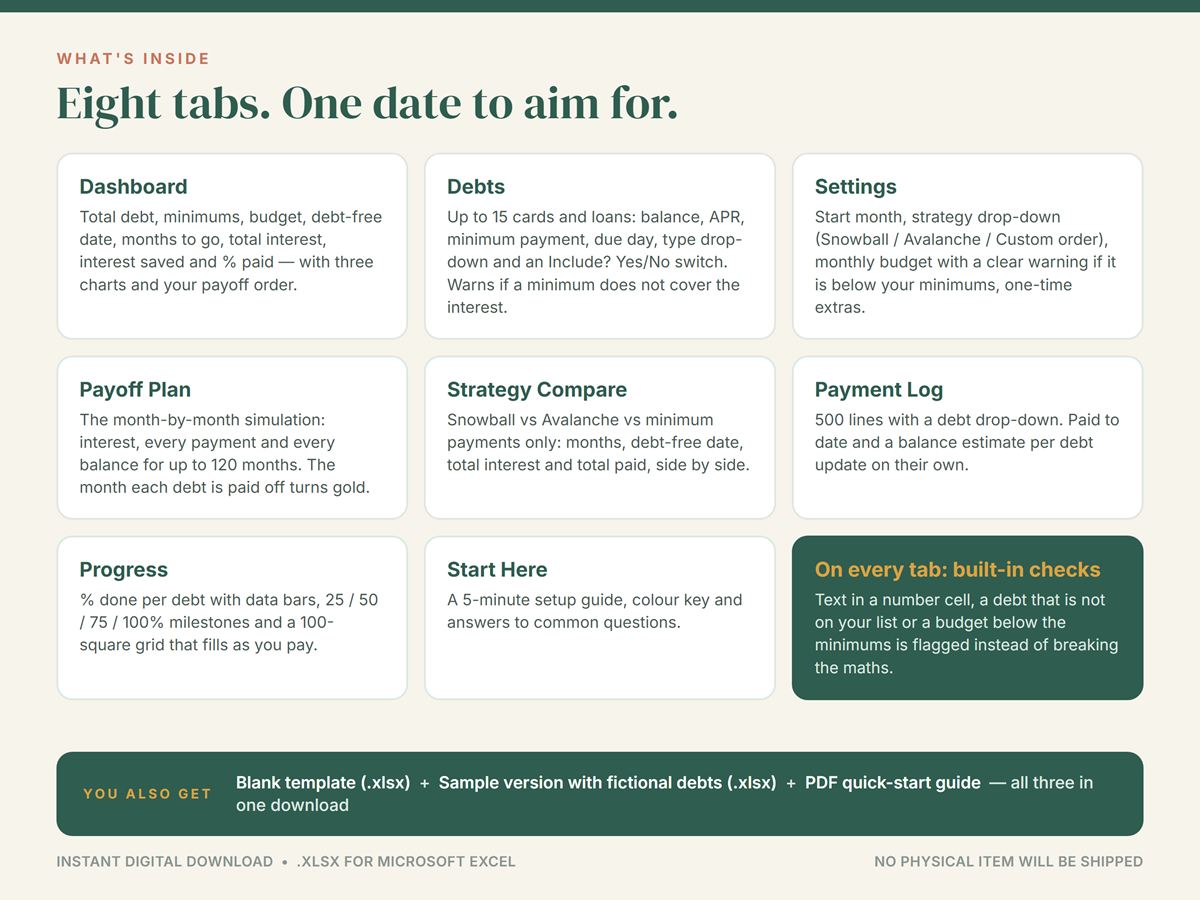
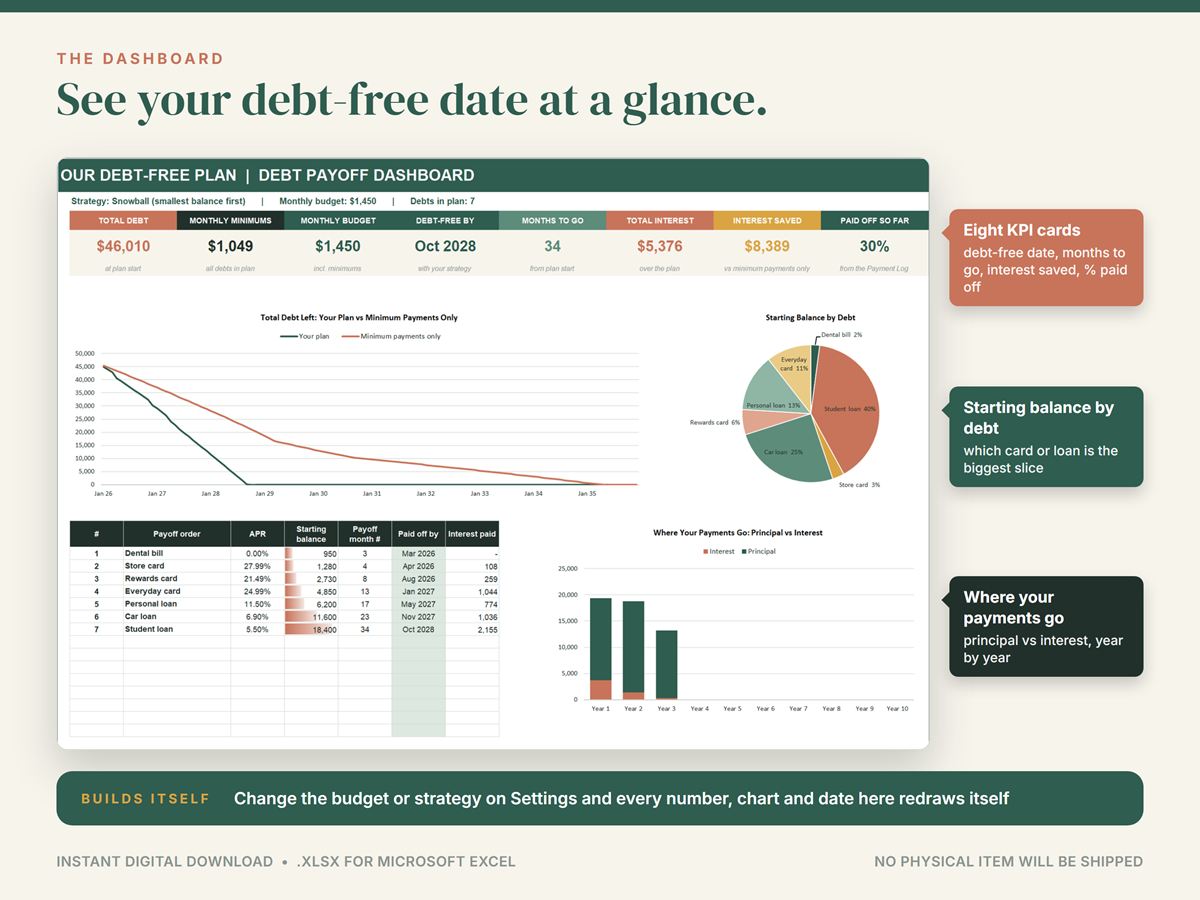
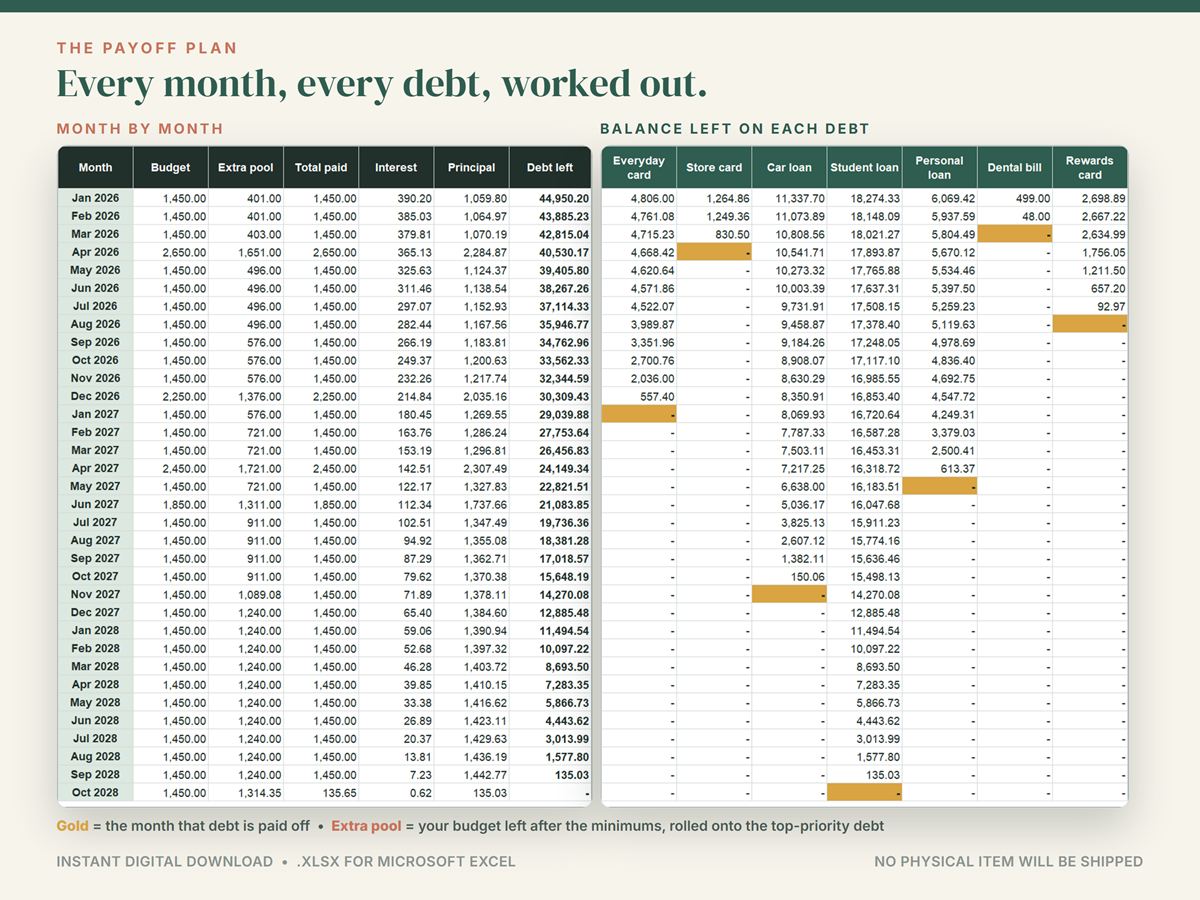
Enter your credit cards and loans a single time and find out the month you'll be debt-free, the interest you'll pay along the way and what you save next to paying just the minimums. This debt payoff planner works through every month, with interest, each payment and each balance, and redraws the plan as soon as you change your budget or strategy.
Can't choose between snowball and avalanche? The compare tab runs both, and minimums only, on your own numbers, then sums it up in one plain sentence. You can also set your own order. Freed-up minimums roll onto the next debt automatically, and up to 12 one-time extras, like a tax refund or a bonus, show how far each one moves your debt-free date.
Up to 15 debts and a plan of up to 120 months fit in one file, with a grid of 100 squares that fills as you pay. You get a blank workbook, a sample with seven fictional debts and a quick-start guide, for Microsoft Excel 2010 or newer on Windows and Mac.
Details
- Microsoft Excel 2010 or newer (Windows and Mac), .xlsx file
- 8 tabs: up to 15 debts, planned month by month for up to 120 months
- Snowball, avalanche or your own order, compared side by side
- Up to 12 one-time extra payments
- No macros or add-ins: standard formulas only
- Blank workbook, sample workbook and quick-start guide (PDF)
- Instant download, available worldwide
- No physical item is shipped
- Your files appear under Purchases in your Etsy account, and Etsy emails you a download link
- Digital downloads can't be returned or exchanged
Tip Put your real monthly payment budget in Settings, not your hoped-for one; the plan updates the moment you can afford more.